
|
TECHNOLOGY Changing to stay the same Minnesota MGA uses technology to maintain high levels By John Chivvis
“The more things change, the more they stay the same.” For Bob Schneider, president and CEO of the Minnetonka, Minnesota-based Robert A. Schneider Agency, Inc. (www.rasinc.com), Karr’s adage sums up the success the agency has experienced over the past 30 years. “When we started back in 1974, we were primarily a husband and wife shop,” says Schneider. Today the MGA has a staff of 40 employees, a branch office in Madison, Wisconsin, and will write approximately $38 million in business this year. Through it all—the agency’s growth, establishing the branch office, changes in the industry and in business processes—Schneider has maintained that same personal touch and high level of customer service, creating a “one office” culture. No matter the location, no matter the employee, each customer believes that the entire agency is there just to serve him or her. That—plus some innovative technology implementation—has made Schneider’s agency a model for automating processes, cultivating employee satisfaction and productivity, and increasing customer satisfaction and retention. “Making” the management system
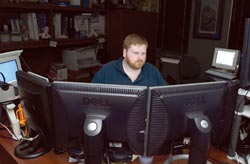
“We’ve always been an aggressive and progressive type of agency,” says Schneider. “We’ve always wanted more automation.” That led Schneider to do something that is fairly unheard of in the insurance industry—buy the source code for the management system. Since 1988, the agency had been on a system developed by a local technology vendor, along with 60 other users. Their familiarity with the company and its programmers was so extensive that Schneider hired Cory Eastlund, one of the vendor’s lead programmers, to handle the agency’s technology needs. “We felt that we needed a ‘life insurance’ policy,” says Schneider. “We felt we needed to have Cory with us.” What ended up happening, though, was that Schneider started getting calls from people on the management system needing support. “Four other users wanted access to our programmer, so together we formed a software company, and ‘leased’ him to it,” says Schneider. “Without the source code to do development, though, we knew we couldn’t get very far.” So they went to the technology vendor and bought the source code. It wouldn’t make economic sense for the vendor to customize the system for just five users, “but for five who have similar needs, we could get it done,” Schneider says. For example, right after the purchase of the source code, the Schneider agency began developing an imaging system. Since then, it has also hired another programmer who, ironically, was one of the original developers of the system’s accounting side. Imagining the imaging system The development of a customized imaging system has yielded numerous benefits for Schneider’s agency. “When we were first considering an imaging solution, we saw some interesting demos for products that were dependent on expensive high-speed scanners,” recalls Schneider. “I remember after one demo, Cory said, ‘Give me a few weeks and I’ll design our own imaging system.’” It was deployed four weeks later, and the Schneider agency has been paperless for over three years. Schneider says that with the customized solution developed by his programmer, the agency was able to buy a high-speed scanner at a fraction of the cost of the scanners they saw in the vendor demonstrations. Schneider explains that every incoming piece of paper is scanned, or imaged, and attached to the proper client file or delivered to the appropriate employee. Manuals are scanned and made available on the agency intranet, and incoming faxes are stored electronically. “This saves a lot of time for our people,” says Schneider. While some employees were a little hesitant to give up some of their paper manuals, each department made the transition once everyone was comfortable with the system. Schneider also upgraded each desktop to dual monitors to handle the increased need for screen “real estate.” Because the imaging is so integrally tied into the code for the management system, Schneider’s team is able to add enhancements to streamline the workflow. With everything being imaged or received electronically, the IT team has developed its own workflow manager, which is able to find items that are missing or that failed to make it through the workflow. “We’re able to find any missed or misplaced item, such as a policy that was not sent,” says Schneider. “Our electronic workflow manager reviews everything and if there’s a problem, it reminds us: ‘You forgot to send this policy to such and such.’” This also increased productivity because with paper, employees would mill around looking for files, making copies and more. “At one point in time before the imaging system was deployed, we had cameras installed and pointed at the mail boxes, so that employees could see if and when they received mail,” says Schneider. “Now that we image everything, those needs have been eliminated, whether the employee is in the office or not.” Working away from work
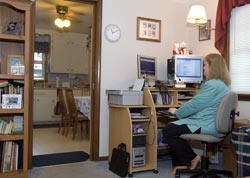
Schneider recalls something his father told him, “Live where you want to, work where you have to.” Through the Schneider agency’s extensive use of technology, that wisdom can take on a new meaning. Of the 40 employees at Schneider’s agency, 38 work from home two to three days a week. According to Schneider, the only two who don’t have chosen not to because they live a mile or less from the agency. “Winters are rough here in Minnesota. As a business owner, I became frustrated with our blizzards,” begins Schneider. “It would take two-plus hours on the freeway just to get to work, then we’d send people home early. Additionally, a storm might hit our immediate area hard, but other parts of our operating area would be unaffected. When we closed or were short-staffed, those other areas would also be affected by the storm, even though no snow fell in those areas.” Schneider began letting employees work from home about seven years ago and he says, “Early on, that caused problems.” Employees would carry files home or create duplicate files to have at home. However, when the Schneider agency introduced the imaging system, all of the agency’s user guides, manuals, and “everything in the system” was put online. Requirements for working at home are simple. Employees are permitted to work from home two days each week (three for those with long drives). Each department sets the schedule with most rotating each schedule around Mondays and Fridays, with usually one day a week for all to be in the office. This way departmental meetings can be conducted, and “we do still want to encourage employee interaction,” says Schneider. Technical requirements are simple, too. Employees are responsible for purchasing their own equipment (computer, printer, second monitor) as well as their own high-speed Internet access. While most employees are using cable or DSL, Schneider says that one employee uses satellite Internet access because he lives out in a rural area. As the agency has upgraded the office desktops to flat panel LCDs, the rolled down CRT monitors are sent home with those employees for use as a second monitor or as an upgrade for their own computer monitors. Agency IT staff install or help install all necessary firewall software, remote access software, and other office productivity applications the employees need for their job.
When asked about any concerns that might come from the decentralizing of supervision, Schneider says that he can run reports nightly from the management system to see what each employee has done. “If I wanted to, I could monitor every keystroke, but I don’t feel I need to do it,” he says. “We’ve never had an issue about getting the job done.” In fact, it’s just the opposite. Schneider explains: “As an employer, I see more productivity when employees are at home. If the weather is causing problems or the employee doesn’t feel well, they can still get their work done. Or if it’s late in the day and they have a rush quote they need to get out, they can go home and still be able to get e-mails out to agents.” Schneider sees the benefits of working from home in a number of ways. One is that it empowers the employee. Because employees have access at home, Schneider says there is no “I wish I got that done before I left” or “I need to do that when I get in.” Adds Schneider, “Plus, when they come into the office, they already know what they need to work on, and they are on top of it,” says Schneider. “So even when they are here, they are getting more work done.” He also sees and hears it from anecdotal measurements. For some it is reduced childcare costs or the ability to care for a child and yet still keep up with work. For others it saves time from the hassle of traffic. For the employee with the satellite access who lives in the rural area, it is 115 miles to the Madison, Wisconsin, branch office where his office is, so he saves over 16,000 miles a year in vehicle wear and gas alone. Basically, Schneider says, it all comes back to empowering the employee with more responsibility. “By trusting employees enough to allow them to manage their own time, they in turn feel they’re more a part of the business,” says Schneider. Viewing the benefits of VoIP
With so many employees working from home, increased costs for telephone service needed to be addressed. The Schneider agency now uses Voice over Internet Protocol (VoIP) which, at the risk of oversimplifying, sends telephone conversations over the Internet. Schneider provides each employee with a VoIP phone for the office and a phone or headset for home. As a result, customers have no idea whether the employee is in the office or at home. Transferring calls over the network is seamless and can be accomplished by simply punching in an extension. Employees working at home can press a button to see which other employees are on the phone—no matter whether the other employees are at home or in the office. “So when a customer asks, ‘Can I talk to Steve?’ an employee is able to see if Steve is available and if not, find out whether or not the customer wants to hold or be put into voice mail,” explains Schneider. VoIP provides a considerable cost savings, too, as calls are not subject to long distance charges. So calls between the home and branch offices, between employees working from home and colleagues in the office, and between employees and customers are free. “The only real cost we incurred was to increase our bandwidth to two T1 lines,” adds Schneider. “With kids and people using the Internet in the afternoon, slowing down overall speed and reducing the clarity of our calls, we realized we needed to upgrade.” Same old future The future of the Robert A. Schneider Agency is one that looks toward more change in order to meet the growing needs and changing times, but to still maintain the “one office experience” for customers and employees. Later this year, the lease runs out on the agency’s office space. The plan is to move to an office with fewer square feet and to bump the days per week employees can work from home up to three days a week—for all employees—and deploy shared workstations and phones in the office. Schneider says that the plan is to develop the capability where once an employee logs into a “shared” workstation, the system pulls up the employee’s own system settings, files, e-mail, and even sets the phone to that employee’s extension, creating a virtual office space based on the employee’s log-in. By increasing the amount of telecommuting and reducing the need for individual office desktops, Schneider says the agency will be able to save a good portion of the $7,000 a month it spends on rent. “I don’t care if my employees are at home in their pajamas and doing their laundry,” says Schneider, “if they are getting the work done quicker than they can if they were here in the office.” Schneider adds that it’s all about looking at how he would want to be treated if he were an employee, and what it would take for his own job satisfaction. The key to maintaining high levels of employee and customer satisfaction, Schneider says, is to have employees that see the value of technology and its ability to empower them. “We’ve had employees in the past who were ‘not into automation’ or ‘not into computers,’ who couldn’t make the adjustment and who eventually moved on,” says Schneider, adding, “But as for us, we’re not going back, we’re moving forward.” * The author |
||||||||||
|